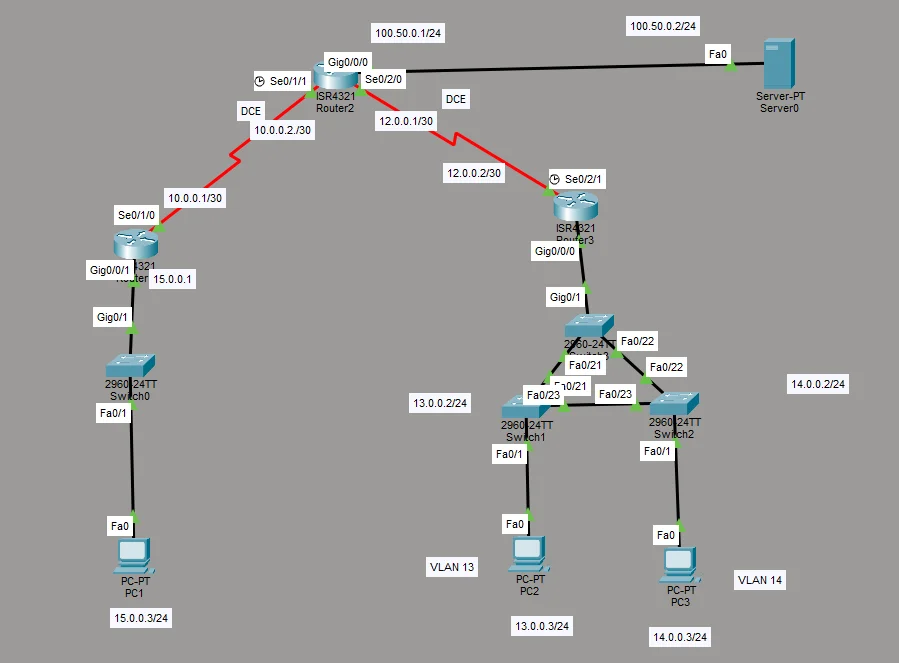
Midterm Cisco
Configure SSH
enable -> conf t -> ip domain-name cisco.com -> username admin secret cisco123 -> crypto key generate rsa -> 1024 -> ip ssh version 2 -> line vty 0 4 -> login local -> transport input ssh -> exit -> exit. Go to your pc routed to the same network, and go to command prompt “ssh -l admin (default gateway ip. Go back to your router that was ssh enabled -> show ssh. show work.
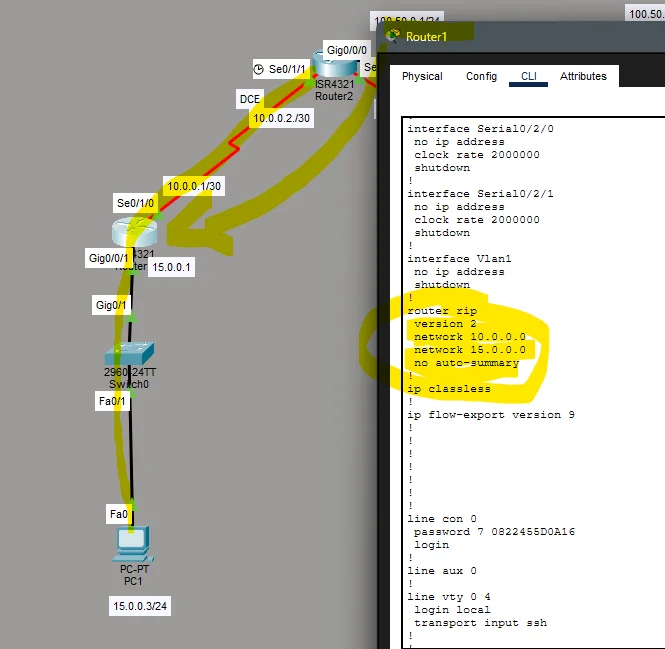
Configure Router Rip
Go left to right. Pick a router and use the ip address that the router is connected to. ex. R1 has 15.0.0.0 from the bottom, and top is a 10.0.0.0 (ALWAYS HAVE 0 TO END)
*UPDATED BETTER*
To config RIPv2 on router (DO THESE ON EACH ROUTER) type: sh ip route (DO THIS FIRST) (USE C FOR THE IP) router rip -> version 2 -> no auto-summary -> ex. Network 192.168.10.0
router rip -> version 2 -> network x.x.x.0 -> network x.x.x.0 -> no auto-summary